
Knowledge base
How to control an LED screen: wiring and loading content
September 2026
← Knowledge baseAn LED screen shows nothing on its own — it is a canvas made of modules. The picture is fed to it by a control system. Let us look at what that system is made of, how it is wired together and what has to happen for your clip to appear on the screen.
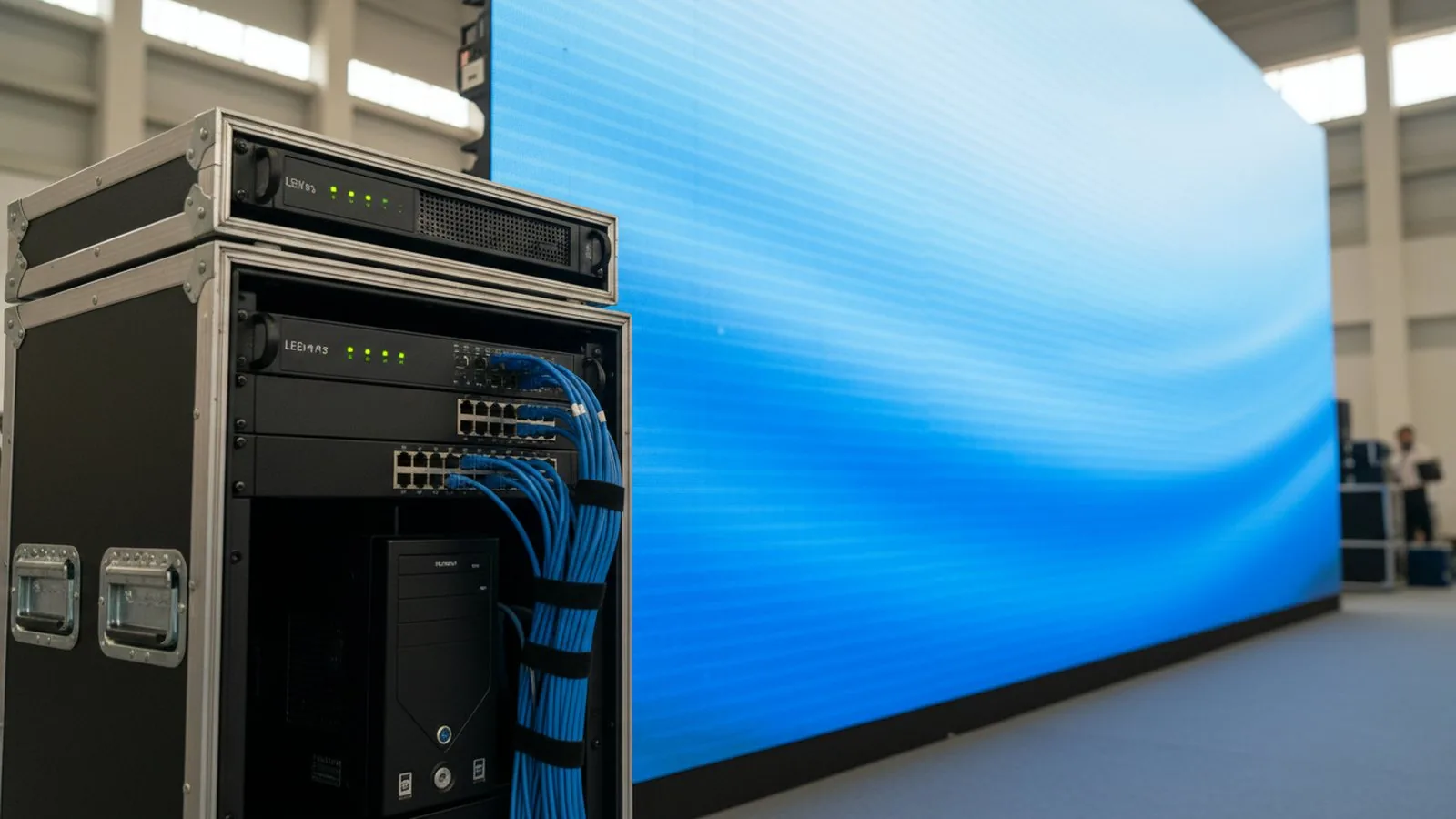 The whole control system for an ordinary screen fits into a small rack: a video processor, a computer or player, and a switch.
What the system consists of
- A computer or media player — the signal source. For an advertising screen a player with a USB stick is enough; for a stage or a studio you need a computer with control software.
- A sending card or video processor — takes the signal over HDMI/DVI, cuts it into zones and sends it over twisted pair. A video processor additionally scales the picture to the screen resolution and switches sources without a black frame.
- Receiving cards — sit inside the cabinets, one per cabinet or per group of modules. Each one knows its own patch of the screen.
- Power supplies — 5 V, one per 2–4 modules.
A screen of 30 cabinets means 30 receiving cards linked into chains of 4–8. Each chain arrives at its own port on the processor.
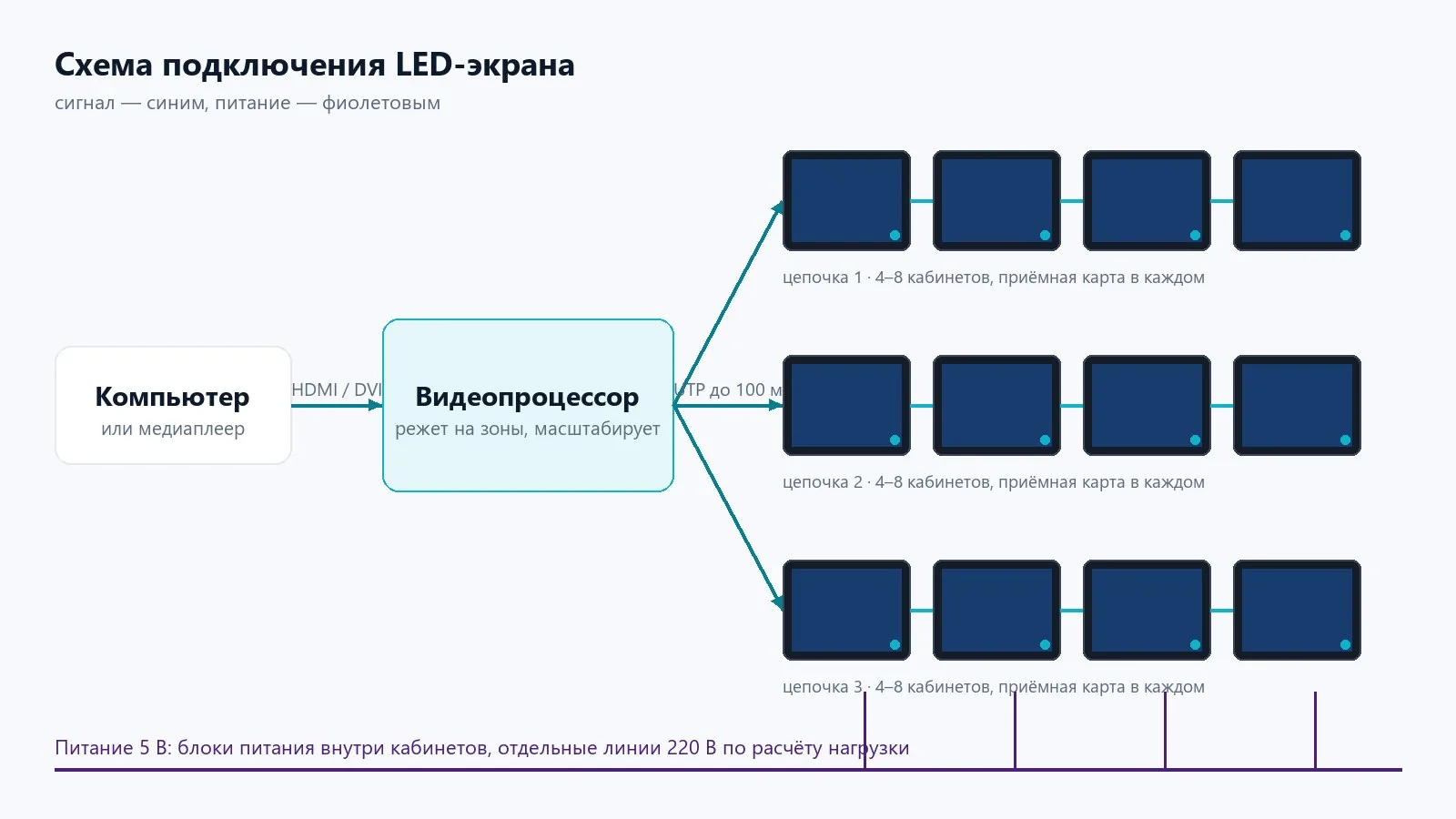 The signal runs from the computer through the processor to the first cabinet of each chain, then from cabinet to cabinet. Power is fed by separate circuits.
The wiring
- Computer → HDMI → video processor.
- Video processor → network ports → the first cabinet of each chain (UTP cat5e/6 cable, up to 100 m).
- Cabinet → cabinet within the chain — with short patch cords.
- Power — separate circuits sized by load calculation: on a typical outdoor screen that is 2 circuits of 25 A per 10 m².
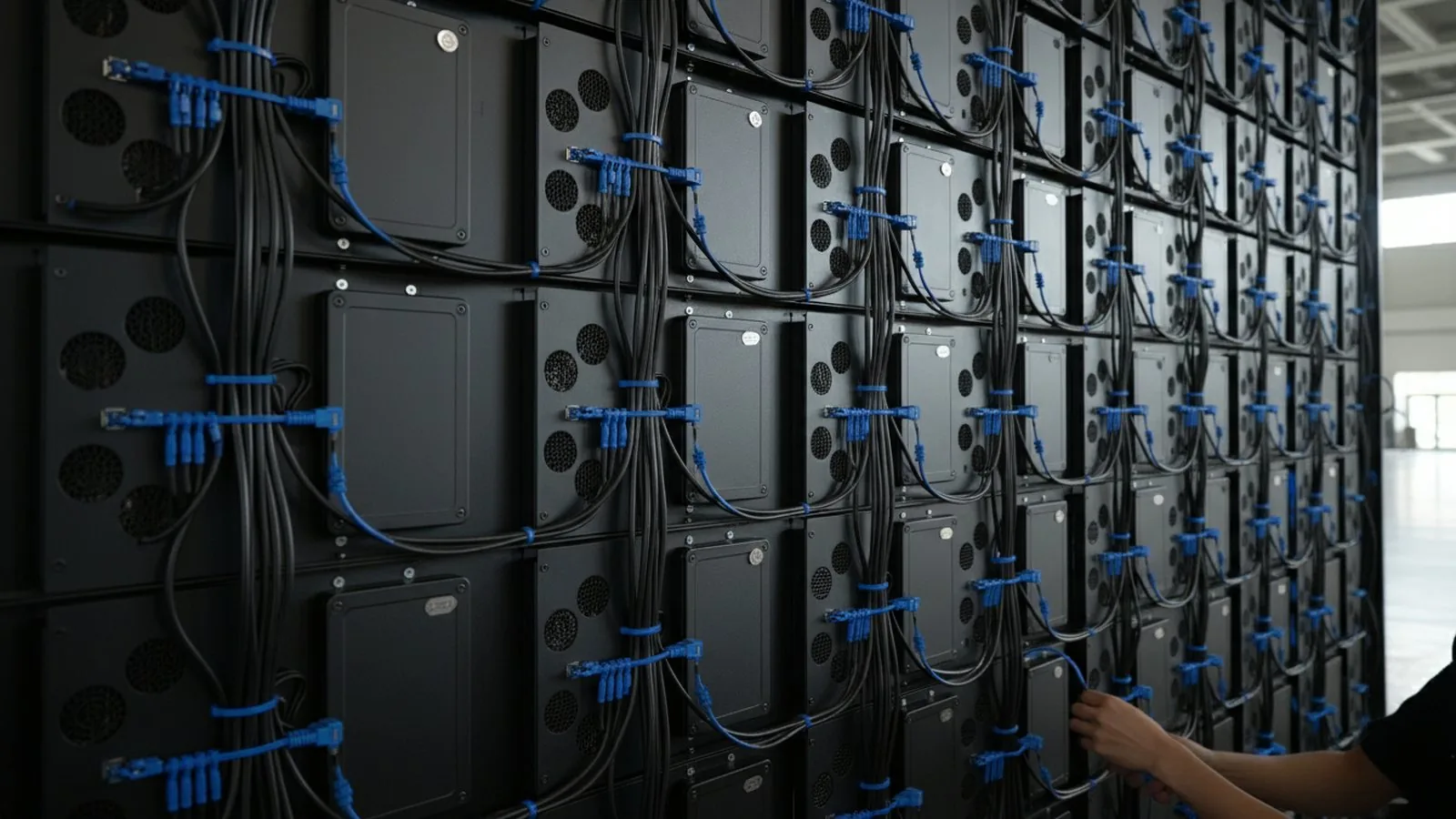 This is what a chain looks like from behind: a short patch cord from cabinet to cabinet, power connectors alongside. If one cable comes out, every cabinet after it goes dark.
The control computer usually sits next to the processor, but it does not have to: the control software also works over the network, so a screen in the next building or in another city is configured from a single desk.
The control software
Screens on Novastar cards are configured in NovaLCT and ViPlex, screens on Huidu cards in HDPlayer. The logic is the same:
- Configuration is done once at commissioning: the software “learns” the cabinet layout, the brightness and the colour temperature. We hand these files to the client together with the screen.
- A playlist — a list of clips and images with durations and a schedule: by hour, by weekday, by date. A morning clip and an evening clip run at their own times with no human involved.
- Scheduled brightness — 100% by day, 40% in the evening. Without it an outdoor screen dazzles and draws twice the power.
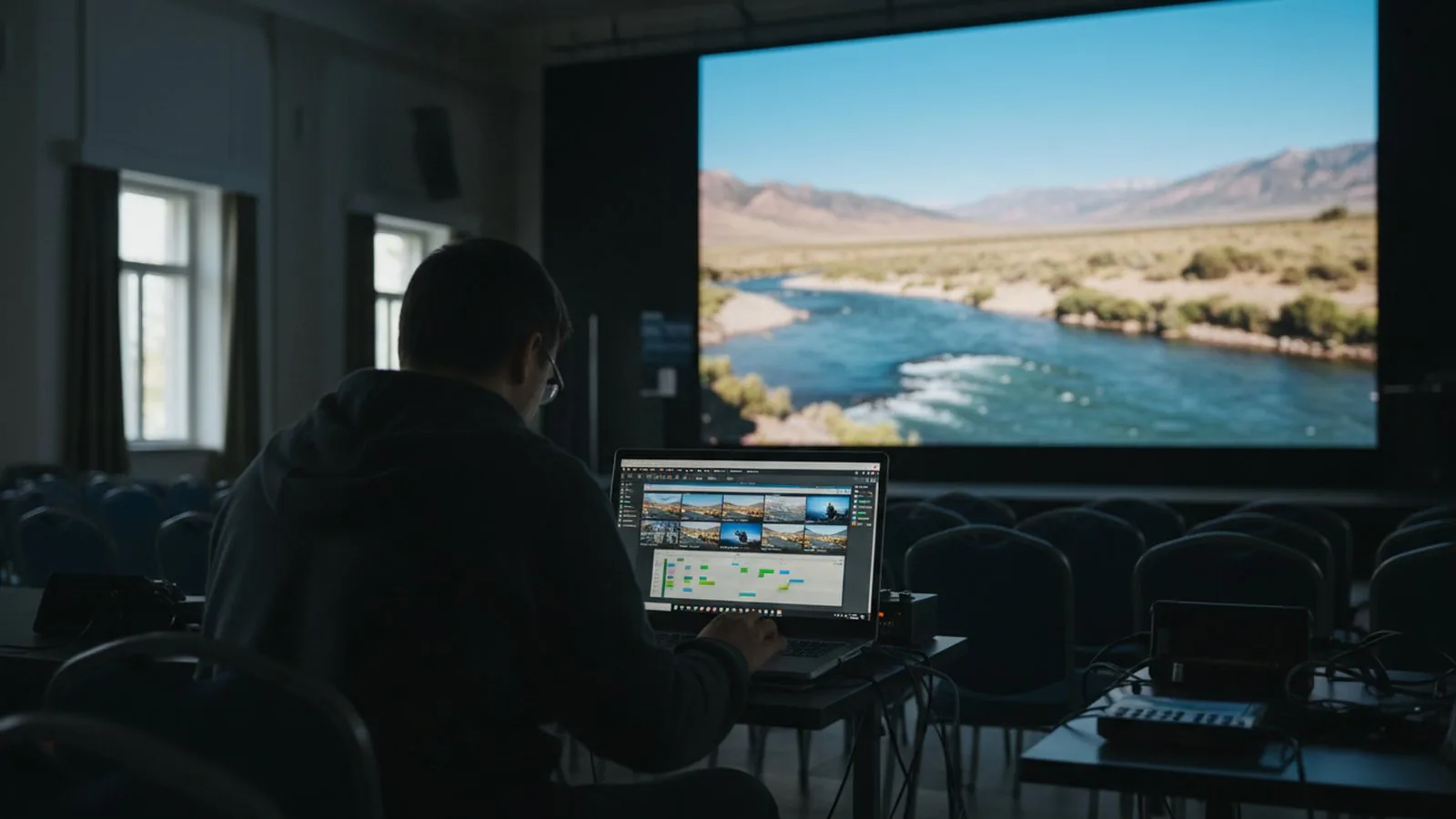 Day-to-day work with a screen is the playlist: drag in a clip, set its showing time, save. No engineer required.
Content requirements
- File resolution = screen resolution in pixels. A 6 × 3 m screen at P4 pitch is 1,500 × 750 pixels. A 1920 × 1080 clip will be scaled down, and a portrait screen calls for a portrait clip.
- Format: MP4 (H.264), 25 frames per second, bitrate 8–15 Mbps. Images — PNG or JPG at the screen size.
- Line weight and font size — no less than 3 screen pixels, otherwise the text merges at viewing distance.
- No fine gradients on a dark background: at a coarse pitch they band into steps.
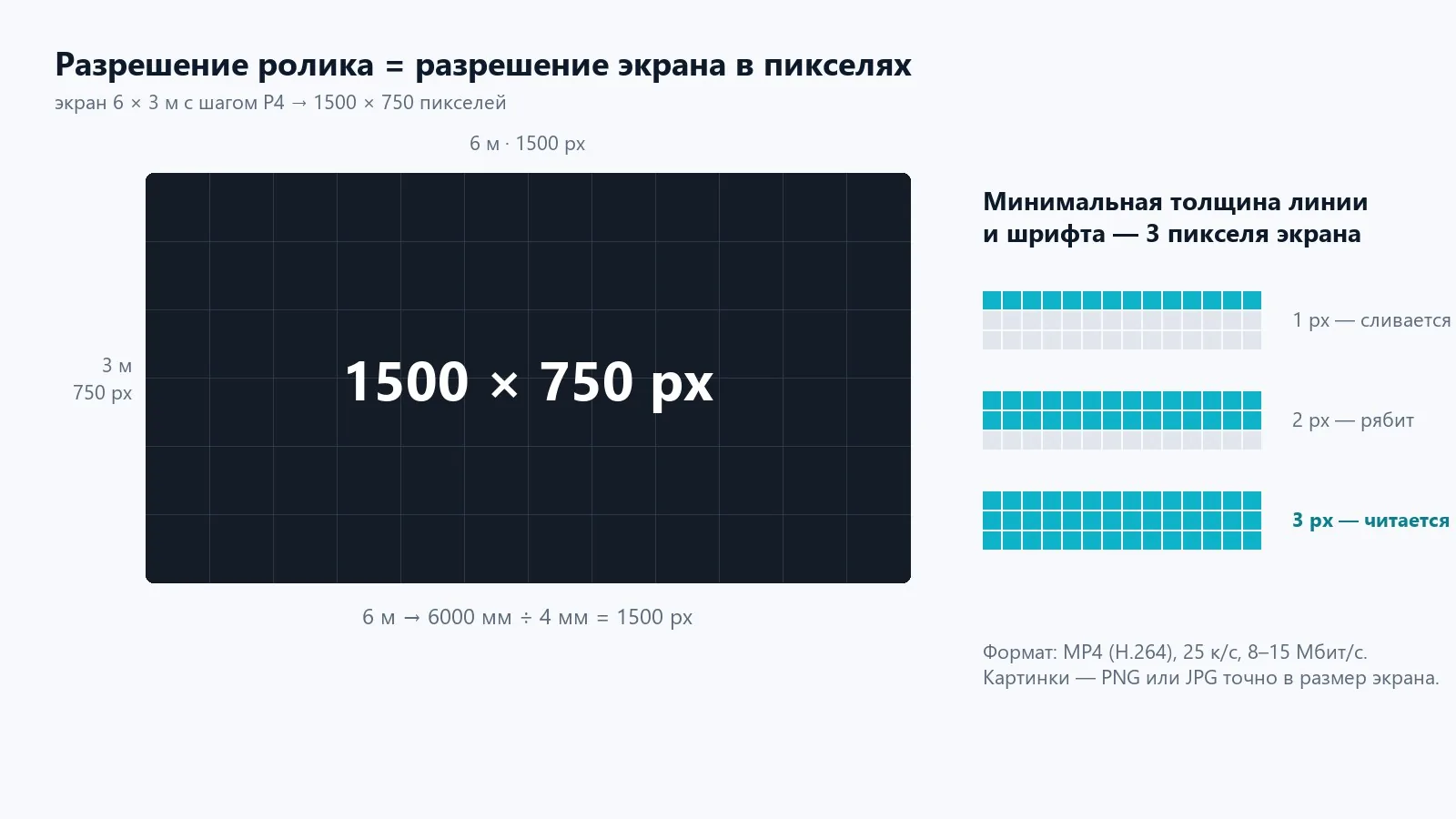 A clip is prepared to the exact pixels of the screen. A one-pixel line disappears at distance; three pixels reads.
Common mistakes
- The clip is loaded but the screen shows a band — the resolution or frame rate does not match.
- Part of the screen is black — a patch cord between cabinets has come out and the chain is broken. Look at the first dark cabinet.
- The picture flickers on video — the refresh rate of the processor or cards is too low; for filming you need cards rated from 3,840 Hz.
This is how control is set up on most of our sites: from the Eurasia TV studio, where content changes from one broadcast to the next, to the ENOC situation centre, where many sources go onto one canvas at once. What matters specifically for control rooms and TV studios is covered on the solution pages; the models themselves are in the indoor screens section.
At commissioning we configure the system, load the first playlist and train your staff member — that usually takes an hour.
A turnkey screen: quote, installation, launch.
Send us the dimensions and location — a quote today. We reply on WhatsApp daily from 9:00 to 20:00.