
Pixel pitch is the distance in millimetres between the centres of two neighbouring LEDs. In a model name it comes after the letter P: on a P2.5 the LEDs sit 2.5 mm apart, on a P10 10 mm apart. Almost everything follows from that figure: the distance at which the screen reads as one continuous picture, how many pixels fit into your opening, and what a square metre will cost.
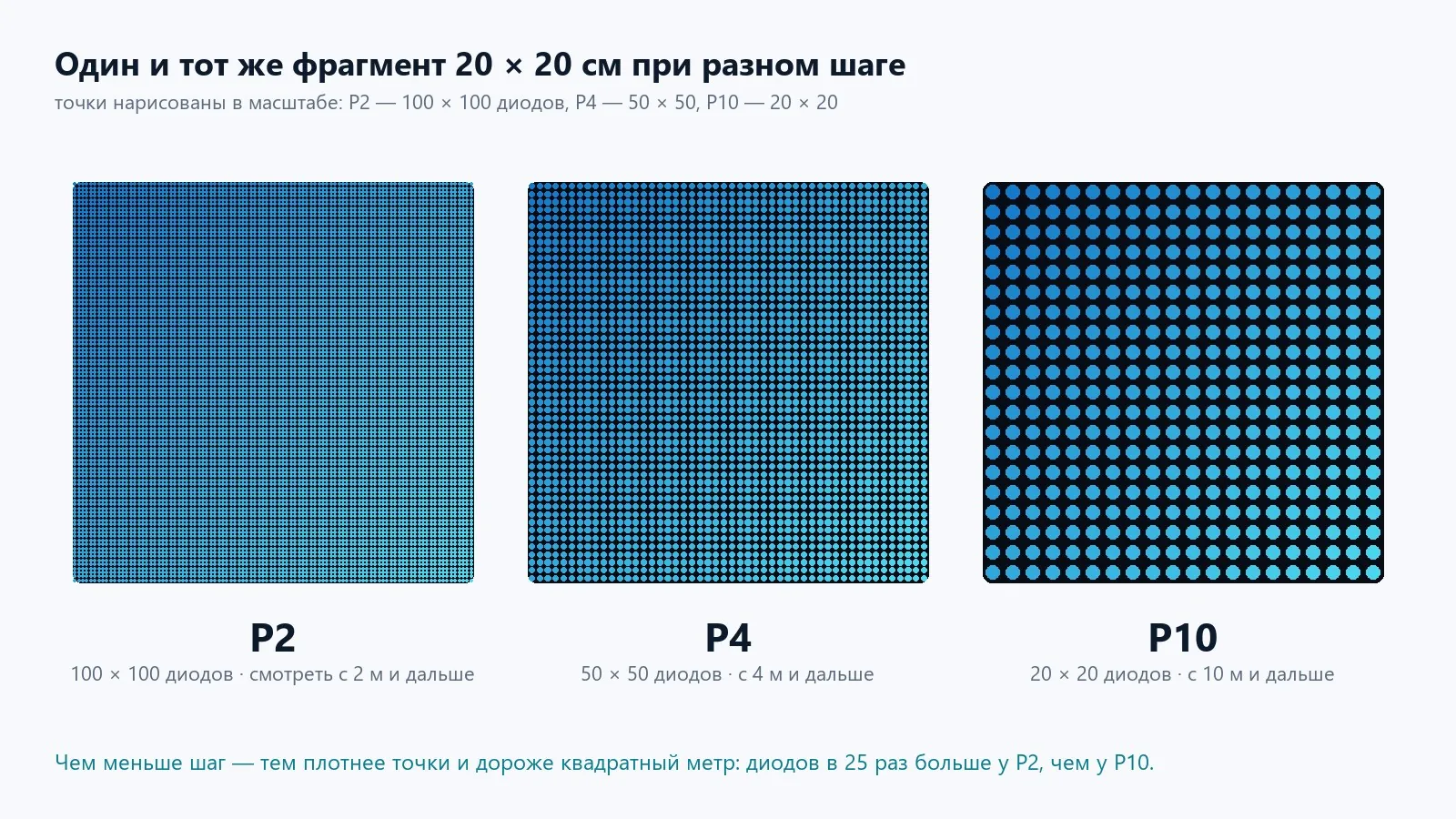 The same 20 × 20 cm patch: P2 has 10,000 LEDs on it, P10 has 400. Hence the difference in price and in viewing distance.
What a finer pitch gives you
- Higher density. The number of LEDs per square metre grows with the square: P2 — 250,000, P4 — 62,500, P10 — 10,000. A P2 has 25 times more LEDs than a P10, and roughly as many times more drivers, traces and power draw per m².
- More pixels in the same opening. A 4 × 2 m screen gives 2,000 × 1,000 pixels at P2 and 400 × 200 at P10. In the second case small type and thin lines simply cannot be shown.
- A shorter distance at which the picture reads as continuous. This is the main selection criterion — more on it below.
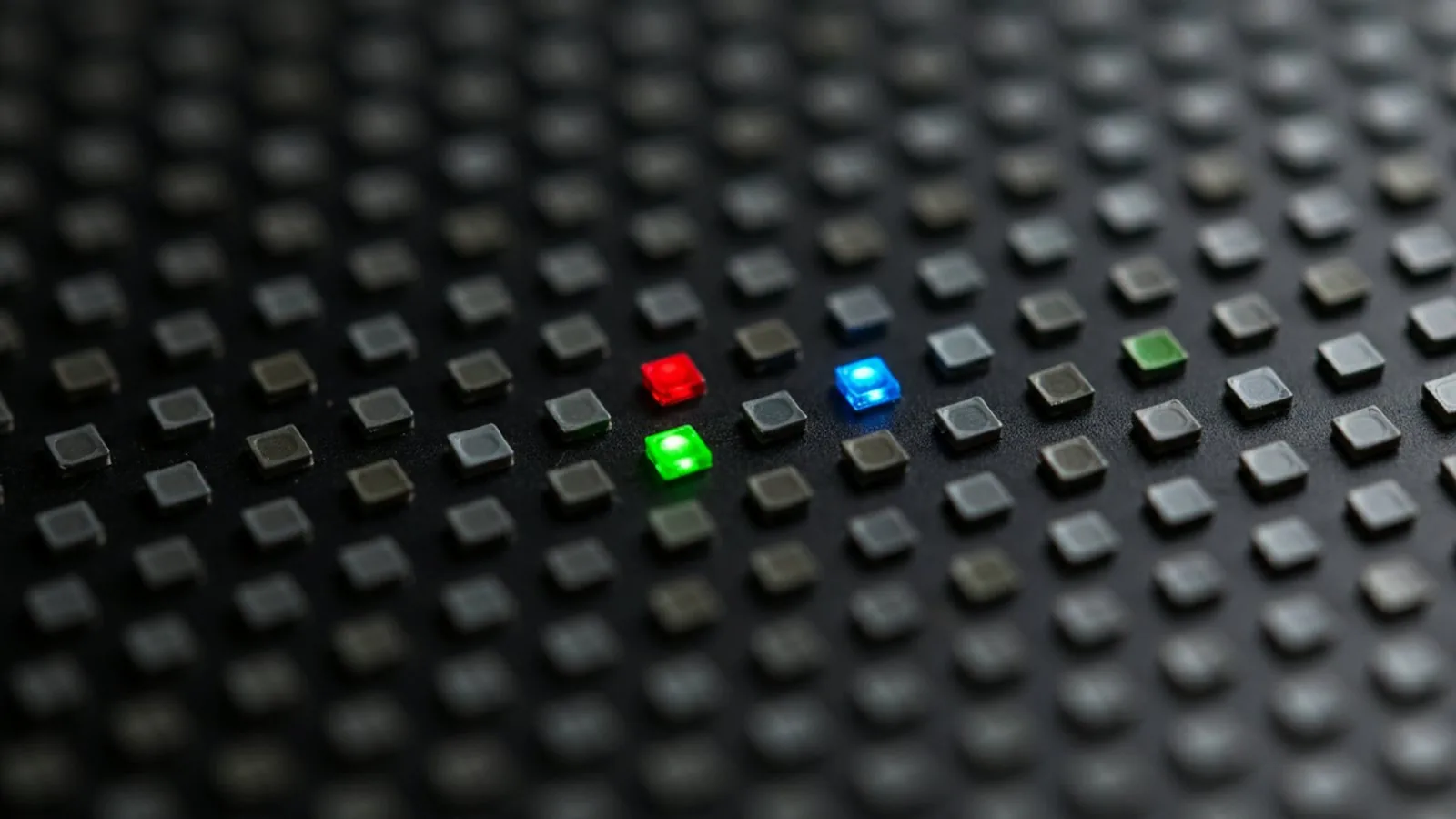 This is what a module surface looks like up close: three dies in one SMD package, with a black mask between them. At viewing distance the mask disappears and only colour remains.
Viewing distance: two numbers
Every pitch has two distances.
The minimum — from here the viewer no longer makes out individual dots, though the grid is still faintly there. The rule is simple: the minimum distance in metres equals the pitch in millimetres. P3 — from 3 m, P6 — from 6 m, P10 — from 10 m.
The comfortable distance — from here the picture reads as a continuous photograph. It is 2–3 times the minimum: for P4 that is 8–12 m, for P10 20–30 m.
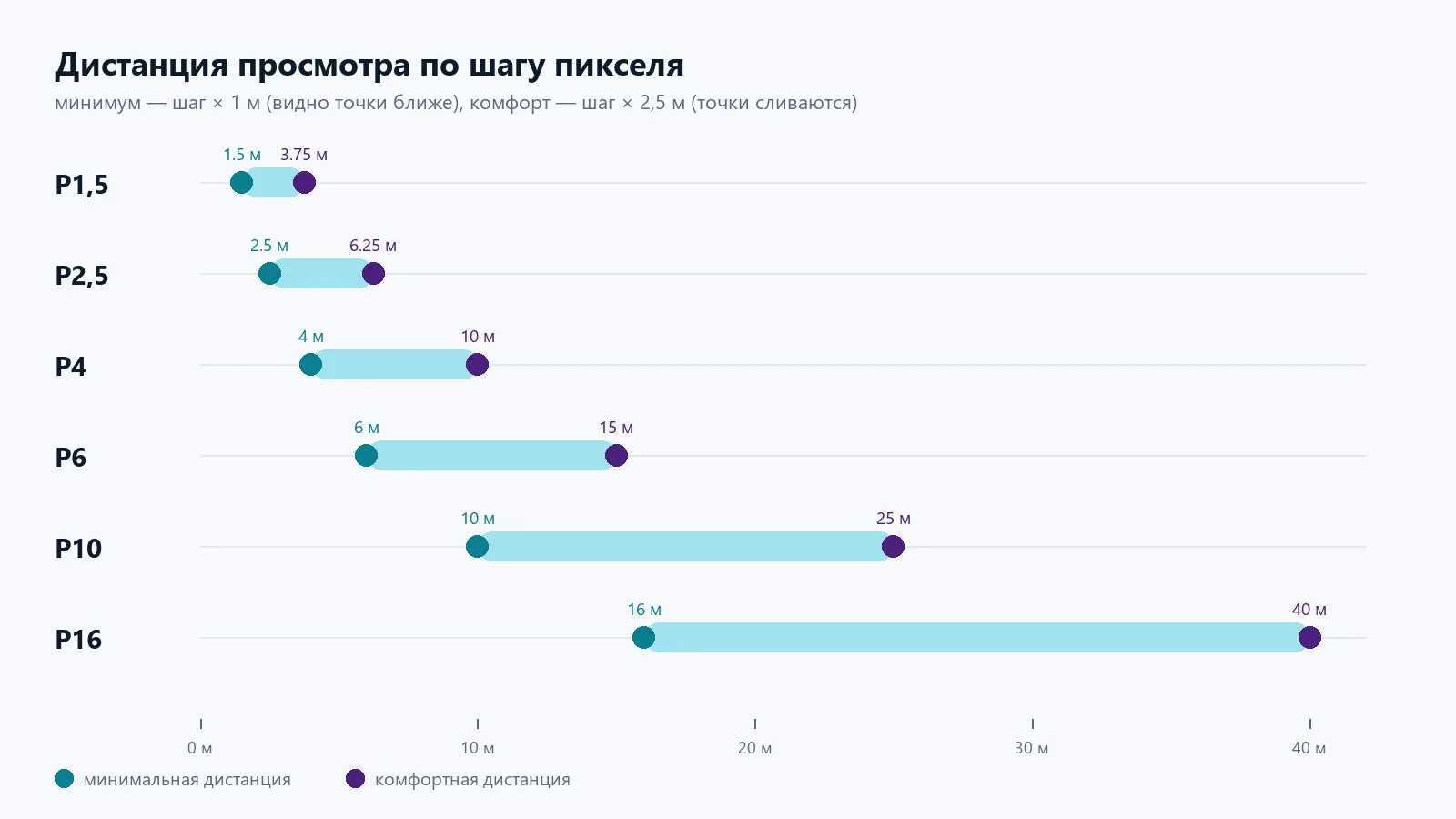 The dots on the left are the minimum distance, those on the right the comfortable one (pitch × 2.5). Choose the pitch by where the nearest viewer actually stands.
You have to choose by the nearest viewer, not the average one. If the screen hangs above the stage of a conference hall and the front row sits 4 m away, P4 is the limit and P2.5–P3 would be better. If it is a facade above a road and nobody gets closer than 15 m, a P10 will show exactly what a P4 does, at a third of the price.
Working out the resolution
Screen resolution in pixels is the side length in millimetres divided by the pitch:
- 6 × 3 m, P4 → 1,500 × 750 px;
- 6 × 3 m, P6 → 1,000 × 500 px;
- 6 × 3 m, P10 → 600 × 300 px.
Then compare that with what you are going to show. For clips and photographs 600 × 300 is enough: from 15 m nobody will make out more anyway. For tables, timetables and text of 12 lines or more you need headroom: the minimum line and font stroke weight is 3 pixels, otherwise the text merges at distance.
Which pitch goes where
| Location | Nearest viewer | Pitch |
|---|---|---|
| Meeting room, control room, TV studio | 1.5–3 m | P1.25–P2 |
| Reception, showroom, shop window from inside | 2–4 m | P2–P2.5 |
| Conference hall, assembly hall, stage | 3–6 m | P2.5–P4 |
| Shopping centre, atrium, lobby | 4–8 m | P3–P4 |
| Building entrance, pedestrian area | 4–8 m | P4–P6 |
| Facade, roadside pylon, square | 10–30 m | P8–P10 |
| Media facade, highway, stadium | 30 m and beyond | P10–P16 and coarser |
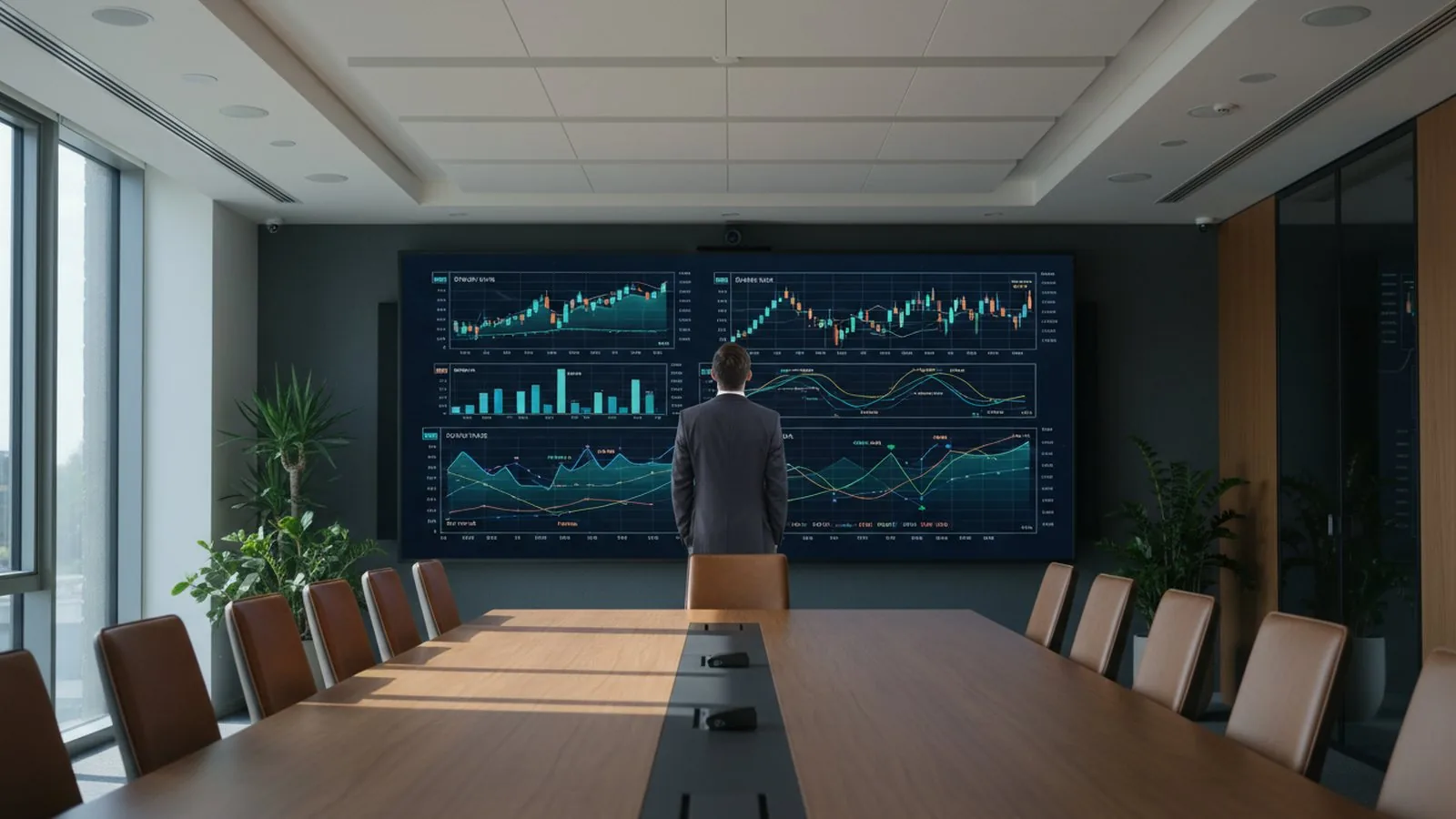 A fine pitch is justified where people walk right up to the screen: meeting rooms, control rooms, studios.
Pitch and price
The cost per square metre rises non-linearly. Moving from P4 to P3 adds about a third to the price, from P3 to P2 almost doubles it, and anything finer than P1.5 already costs several times a P2.5. The most common overspends look like this:
- an outdoor P4 where nobody stands closer than 10 m — a P8 would have done;
- a P2 in a school assembly hall where the front row is 5 m away — a P3 would look the same;
- a fine pitch bought “just in case” for text that ends up being set large anyway.
The opposite mistake is rarer but more galling: a coarse pitch at a mall entrance that people walk past two metres away. The screen shows a grid, and people stop noticing it.
What else is tied to pitch
- Brightness. A coarser pitch uses larger, brighter LEDs: outdoor P5–P10 give 5,500–7,800 cd/m², indoor P1.5–P2.5 give 350–1,000 depending on the model. That is why a fine pitch outdoors is almost always a compromise.
- LED type. Up to and including P1.5, SMD packages are used; below that come COB and mini-LED, where the dies are sealed under a continuous layer: no grain and better impact resistance, but a higher price too. For P1.5 and coarser, SMD remains the standard.
- Refresh rate. For filming you need cards and drivers rated from 3,840 Hz regardless of pitch, otherwise banding appears on camera.
- Servicing. On screens with front access the module comes out from the front on magnets; for a fine pitch this matters especially, because the cabinets sit flush to the wall.
A short checklist
- Measure the distance to the nearest viewer. That is your maximum pitch in millimetres.
- Work out the resolution for your opening and compare it with your content: clips are almost always fine, text and tables need headroom.
- For outdoor, check the brightness: from 5,000 cd/m², and a fine pitch is rarely justified here.
- If you are torn between two adjacent pitches, take the coarser one and check it in our calculator: it shows the grain, the distance and the resolution.
You can see how a chosen pitch looks on a real site in our portfolio: the P3 screens at FORUM mall are viewed from walkways and escalators, the P4 in the assembly hall of school No. 153 from the front rows. For typical venues the pitch is already worked out on the solution pages: schools and universities, shopping malls, meeting rooms and offices.
Send us a photo of the site and the size of the opening — we will pick the pitch and price the screen in two or three options.

A turnkey screen: quote, installation, launch.
Send us the dimensions and location — a quote today. We reply on WhatsApp daily from 9:00 to 20:00.